

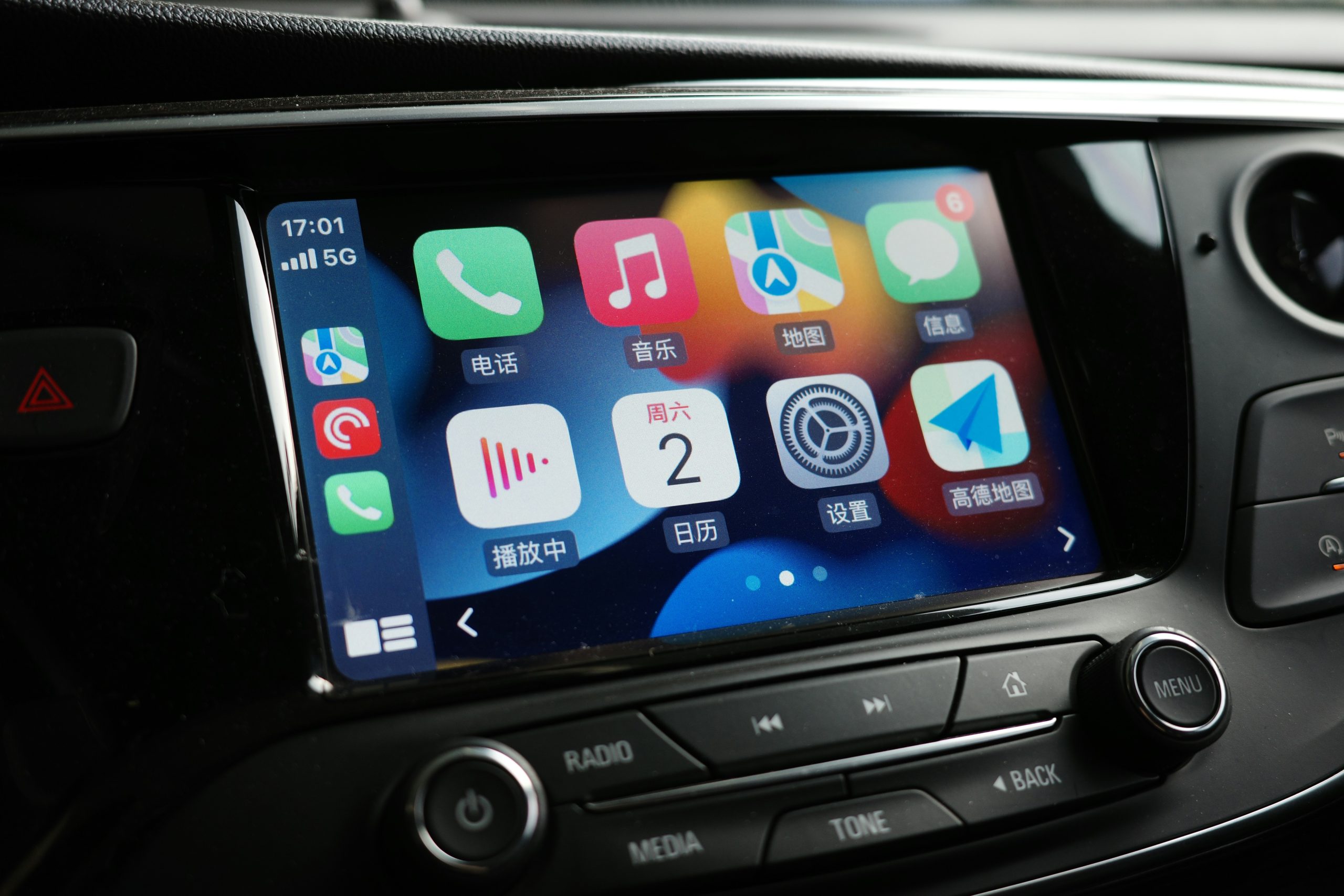
Your iPhone and the Mazda CX-5 make quite the team when linked through Apple CarPlay. Whether you’re stuck in traffic, need directions, or want to listen to your favorite podcast, you can do it all without taking your hands off the wheel. This guide walks you through the process of connecting Apple CarPlay to your Mazda CX-5. We’ll go over the setup, troubleshoot common problems, and even touch on new features, such as CarPlay Ultra, that will take your driving setup to new heights.
Understanding Apple CarPlay: A Quick Overview
Apple CarPlay brings your iPhone apps right to your Mazda’s screen. Texts, calls, maps, music, and more are all available at your fingertips or through Siri, meaning your focus stays on the road. It’s like having a smart assistant that knows exactly what you need — perfect for those busy morning commutes.
CarPlay Ultra is Apple’s next-generation in-car experience, which links directly to your car’s systems. It allows you to control vehicle functions, such as heating and ventilation, via the screen, buttons, or voice. It even displays relevant information on your instrument panel, allowing your Mazda to work smarter with your phone.
Pre-Setup Requirements for Apple CarPlay in the Mazda CX-5
If you own a 2019 or newer Mazda CX-5, then the good news is that Apple CarPlay comes built-in. Older models will need a Mazda Connect upgrade (which you can get from a dealership) and 2.1-amp USB ports.
For basic CarPlay functionality, you’ll need an iPhone 5 at a minimum. CarPlay Ultra requires an iPhone 12 or newer running iOS 18.54 or higher. Make sure to keep Siri activated when using CarPlay, as she’s crucial for hands-free usage during I-476 commutes or in Philly traffic jams.
Avoid cheap cables, and only use genuine Apple Lightning or certified USB connections and adapters. It’s also wise to keep your Mazda’s system regularly updated. If you need help, our staff at John Kennedy Mazda Conshohocken can assist with countless issues ranging from glitches to frozen screens.
Step-By-Step Guide to Connecting Apple CarPlay to Your Mazda CX-5
To get started, unlock your iPhone and activate Siri. Plug in your Lightning to USB cable and then locate the USB port with the smartphone symbol — usually in the center console.
Start your car and wait for the system to boot. Tap “Yes” or “Enable” at the prompt. When your iPhone asks about using CarPlay while locked, hit Allow — this will mean your CX-5 can access CarPlay without you having to unlock your phone. After a short while, your apps should appear and be ready to use.
If you’re having any issues, try the classic troubleshooting method: disconnect, count to ten, and reconnect. If it’s still not working, then a system update will typically fix most issues without requiring a trip to the dealer. However, if you need more help, our local technicians at John Kennedy Mazda Conshohocken are on hand to help solve your CarPlay problems quickly and easily. Minor hiccups aside, CarPlay typically provides a reliable user experience.
Maximizing Your Apple CarPlay Experience in the Mazda CX-5
You can personalize Apple CarPlay in your Mazda CX-5 to make it your own. To customize your layout, hold any icon until it wiggles, then drag it wherever you want it to go. You might want to keep maps front and center for navigating Conshohocken’s one-way streets, music for entertainment in I-76 jams, and weather updates for Pennsylvania’s unpredictable climate.
Consider adding a range of helpful apps to maximize your driving experience. Waze can help you avoid those Roosevelt Boulevard delays, ParkWhiz assists in locating those hard-to-find city center parking spots, and Spotify and Audible provide the perfect soundtrack for your weekend trips to the Poconos.
Remember that Siri improves with use. You can use voice commands such as “Open Maps” or “Go Home” to navigate hands-free. These commands help to keep your eyes on the road, which is vital at tricky Conshohocken intersections or when merging onto the Schuylkill Expressway.
Enhancing Your Mazda CX-5 Experience With Apple CarPlay
Apple CarPlay can transform your daily drive, making it easier, safer, and more connected. If you need help with setup or are interested in the latest CX-5 models equipped with CarPlay, contact us and speak to our friendly team. We’ll answer all your questions and show you new Mazda models. Whether you’re ready to upgrade or just need help getting connected, you can also schedule a service appointment for personalized support.
Connect with us


- July 2026
- June 2026
- April 2026
- March 2026
- February 2026
- January 2026
- December 2025
- November 2025
- October 2025
- September 2025
- August 2025
- July 2025
- June 2025
- May 2025
- April 2025
- March 2025
- February 2025
- January 2025
- December 2024
- November 2024
- October 2024
- September 2024
- August 2024
- May 2024
- April 2024
- March 2024
- February 2024
- January 2024
- December 2023
- November 2023